Every sheet you need, on one screen
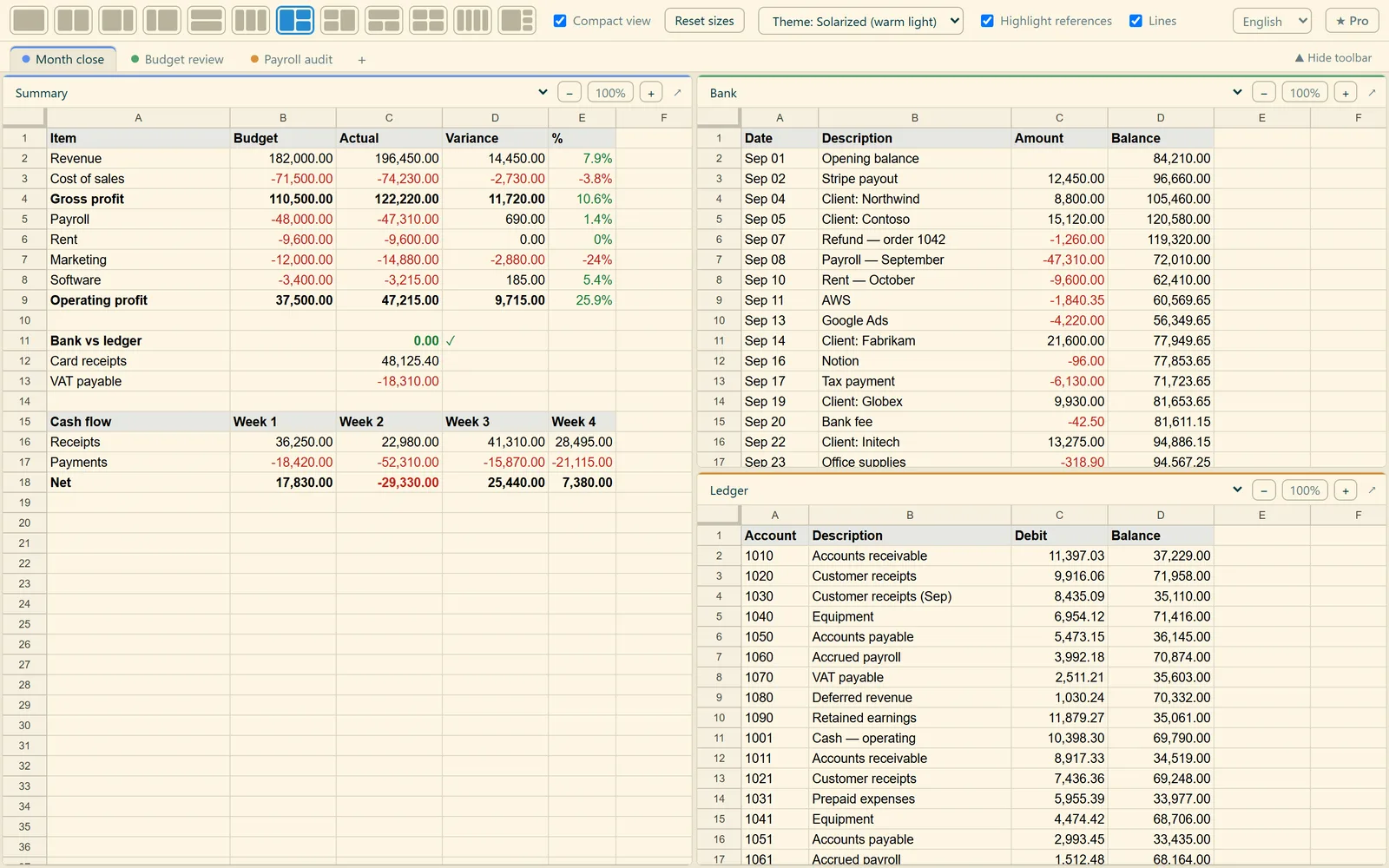
Open up to four sheets of the same Google Sheet side by side and see where a formula gets its numbers: referenced cells light up, even on other sheets. While you type a formula, just click a cell in the next pane — the cross-sheet reference is written for you.
 Sheets Split
Cross-sheet formulas in one click
Type a formula on one sheet and just click the cells you need on the other. The reference, sheet name included, goes into the formula by itself.
- Click a cell on the other sheet — the formula gets
'Bank'!C3 - Drag over a range —
'Bank'!C3:C6 - No more remembering and typing quoted sheet names
See it in action
See where every number comes from
Select a cell with a formula and its source cells light up in gold, with a line running to the sheets open in the other panes.
Sheets Split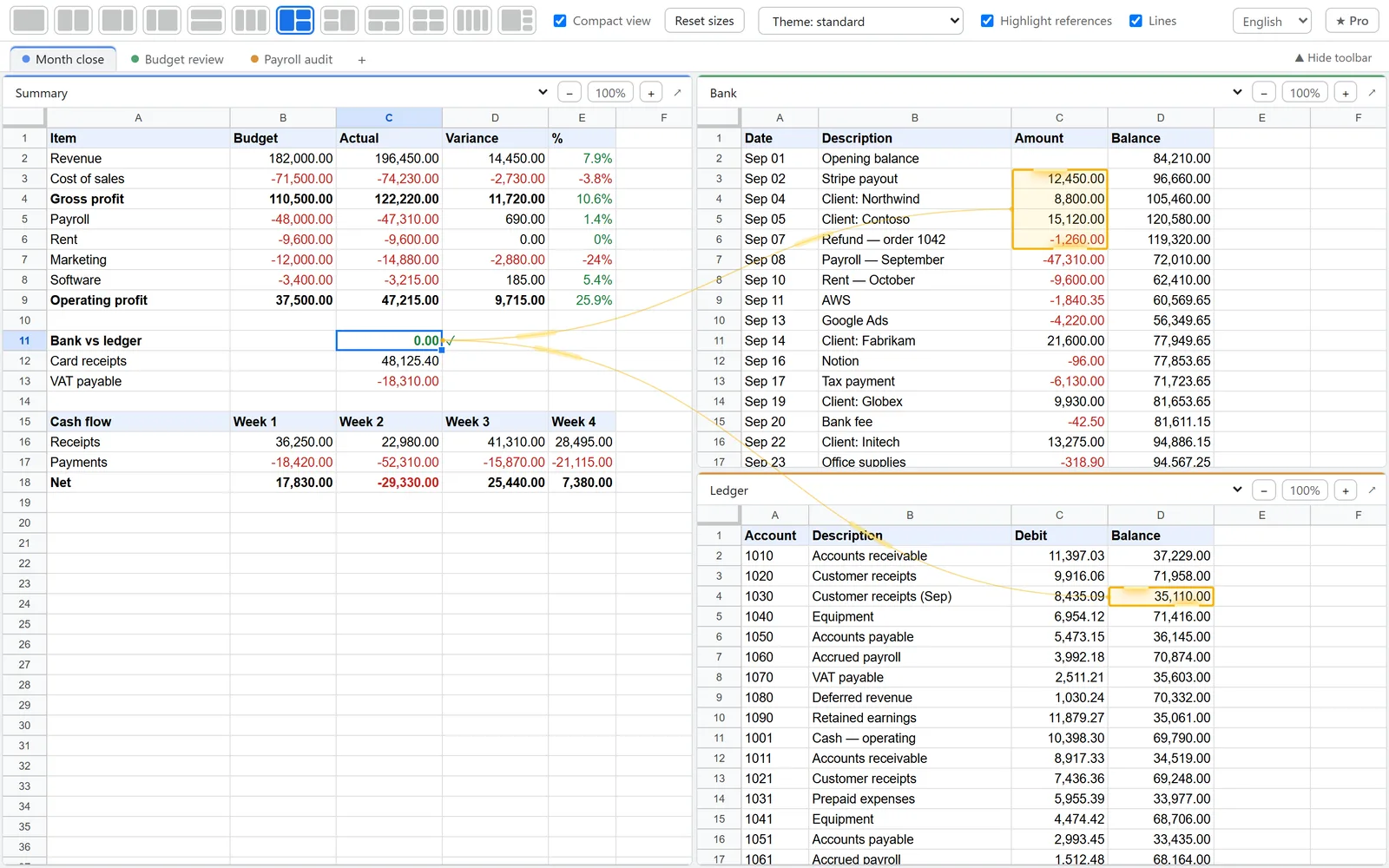
Up to 4 sheets on one screen
12 layouts: side by side, stacked, 2/3 + 1/3, four in a grid. Drag the splitters and zoom each pane on its own.
Sheets Split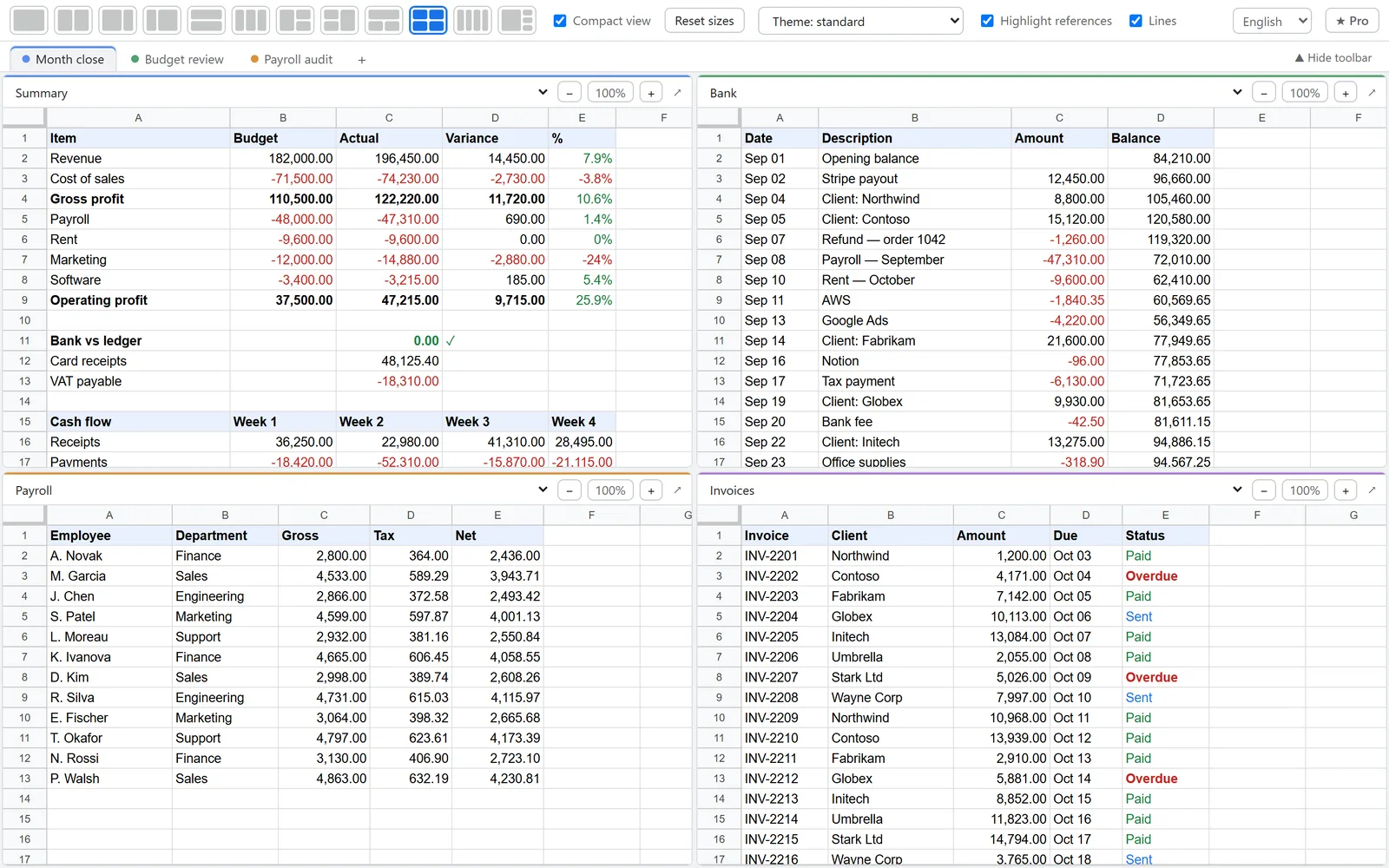
Never lose a reference
If a referenced cell is outside the visible area, a button appears. One click scrolls the sheet right to it.
Sheets Split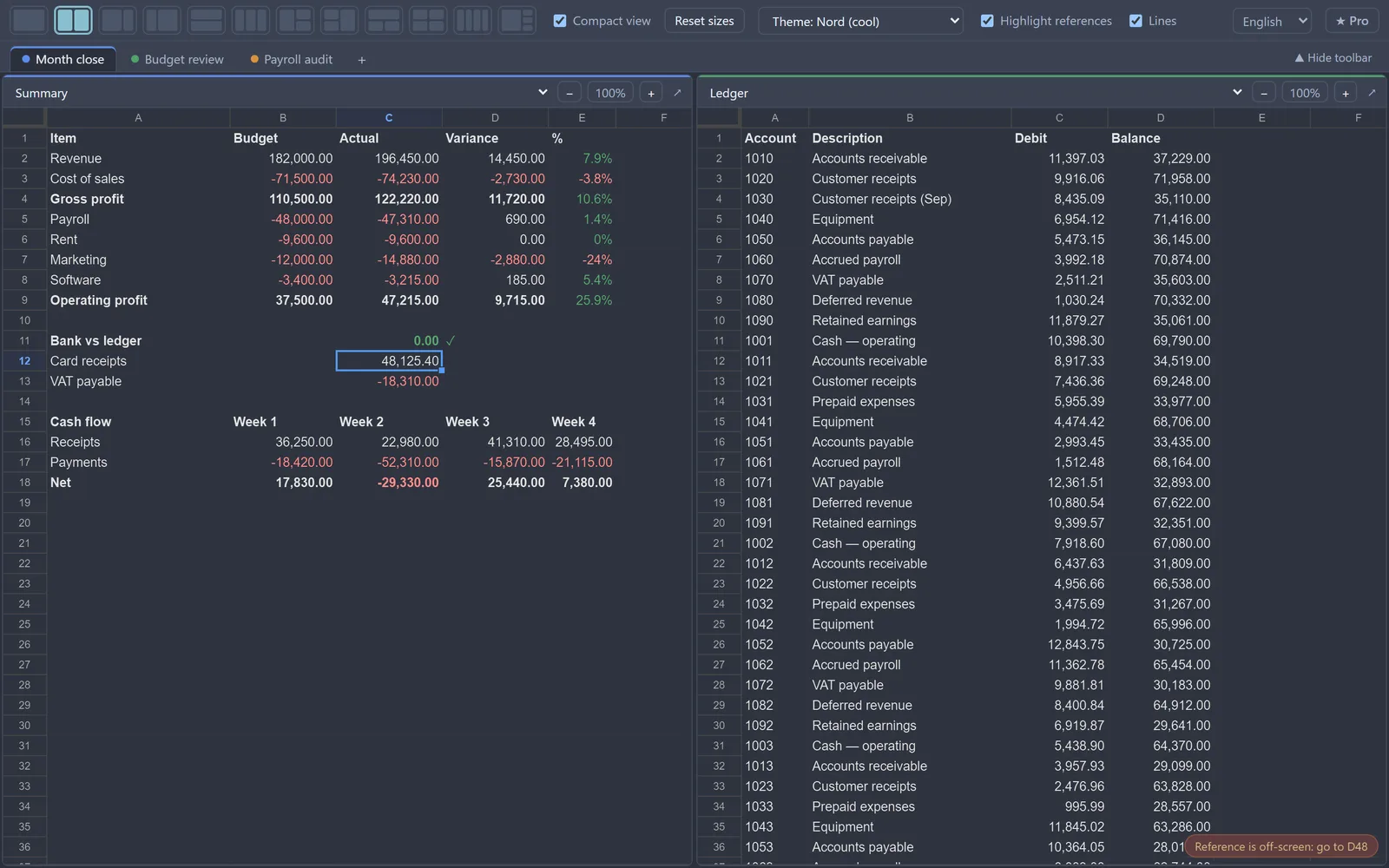
Workspaces for every task
Save a set of sheets and a layout as a workspace — month close, budget review, audit — and switch with Alt+1…9. With Pro, they’re on all your computers.
Sheets Split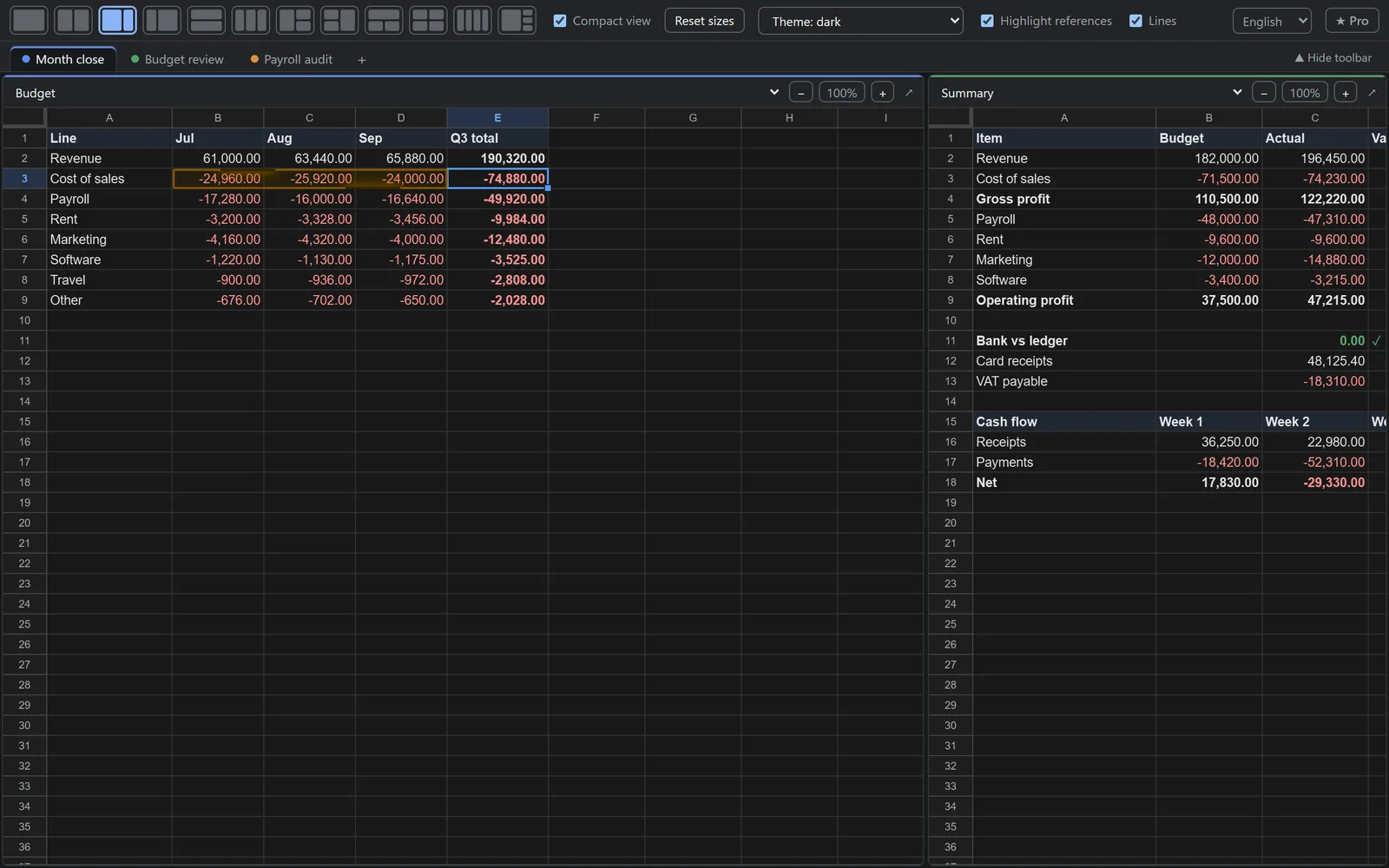
Use cases in 15 seconds
Short clips showing how Sheets Split saves time in everyday spreadsheet work.
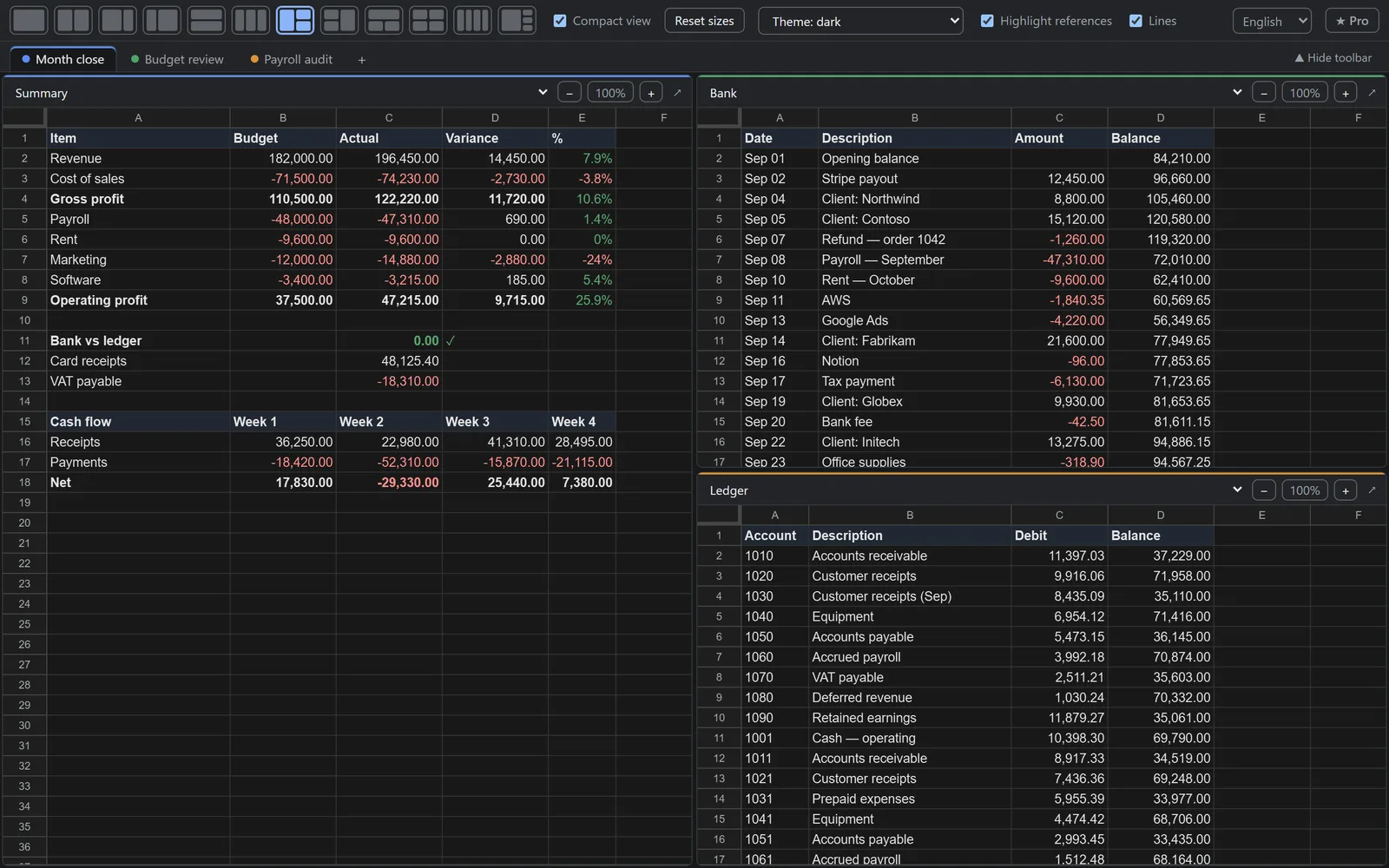
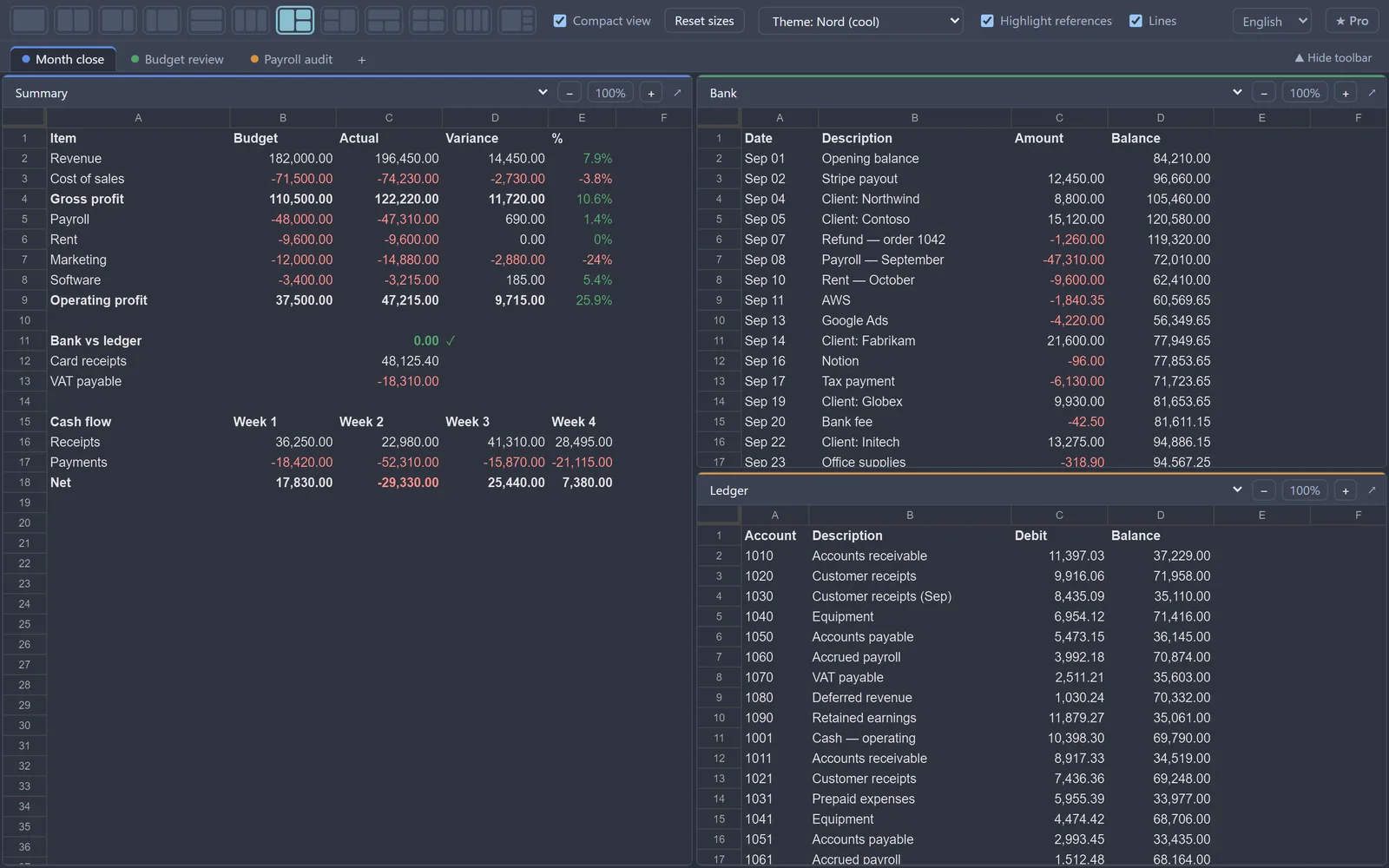
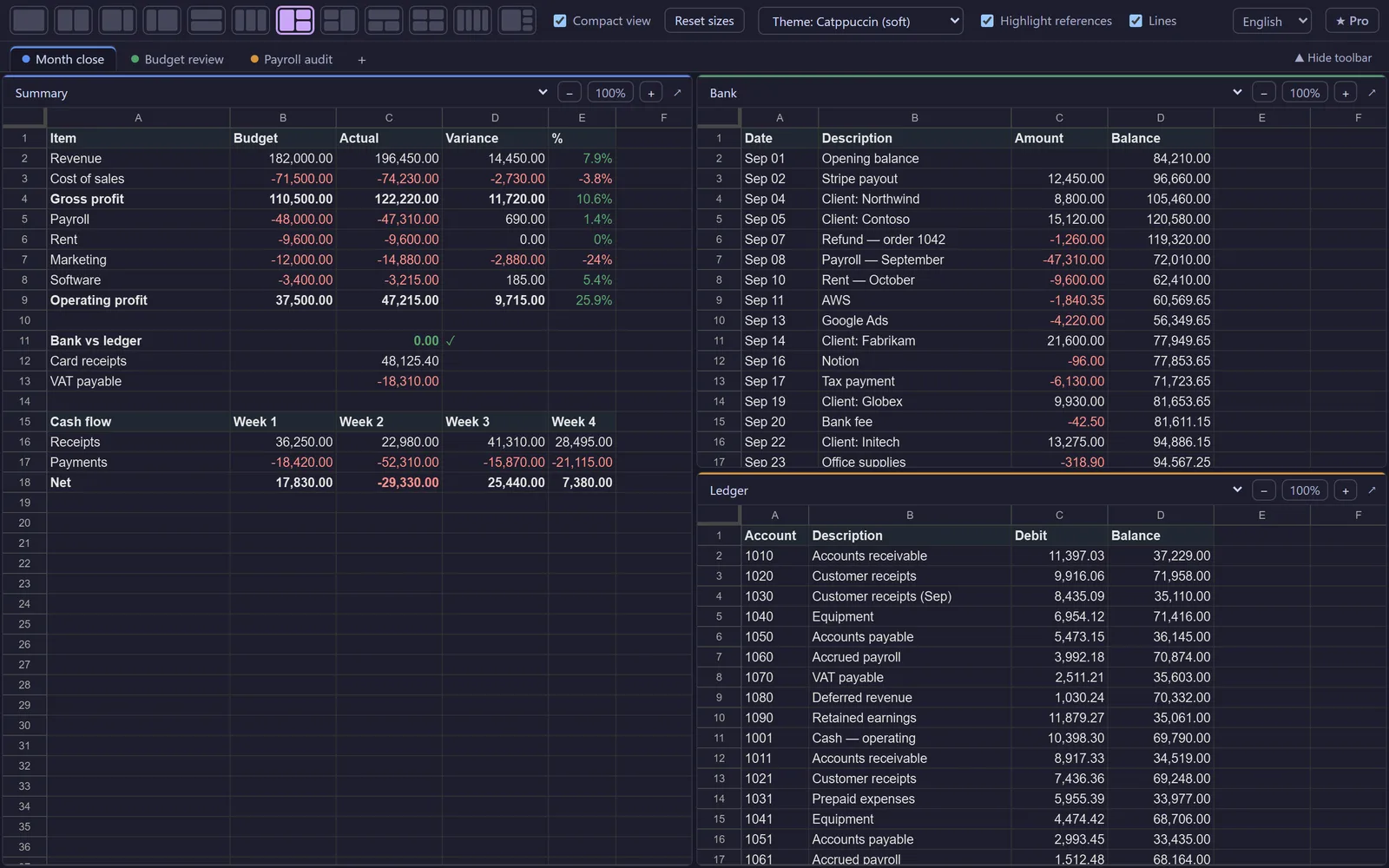
5 themes, including dark
Easier on the eyes during long days in spreadsheets. The sheets are recolored along with the window.
Sheets Split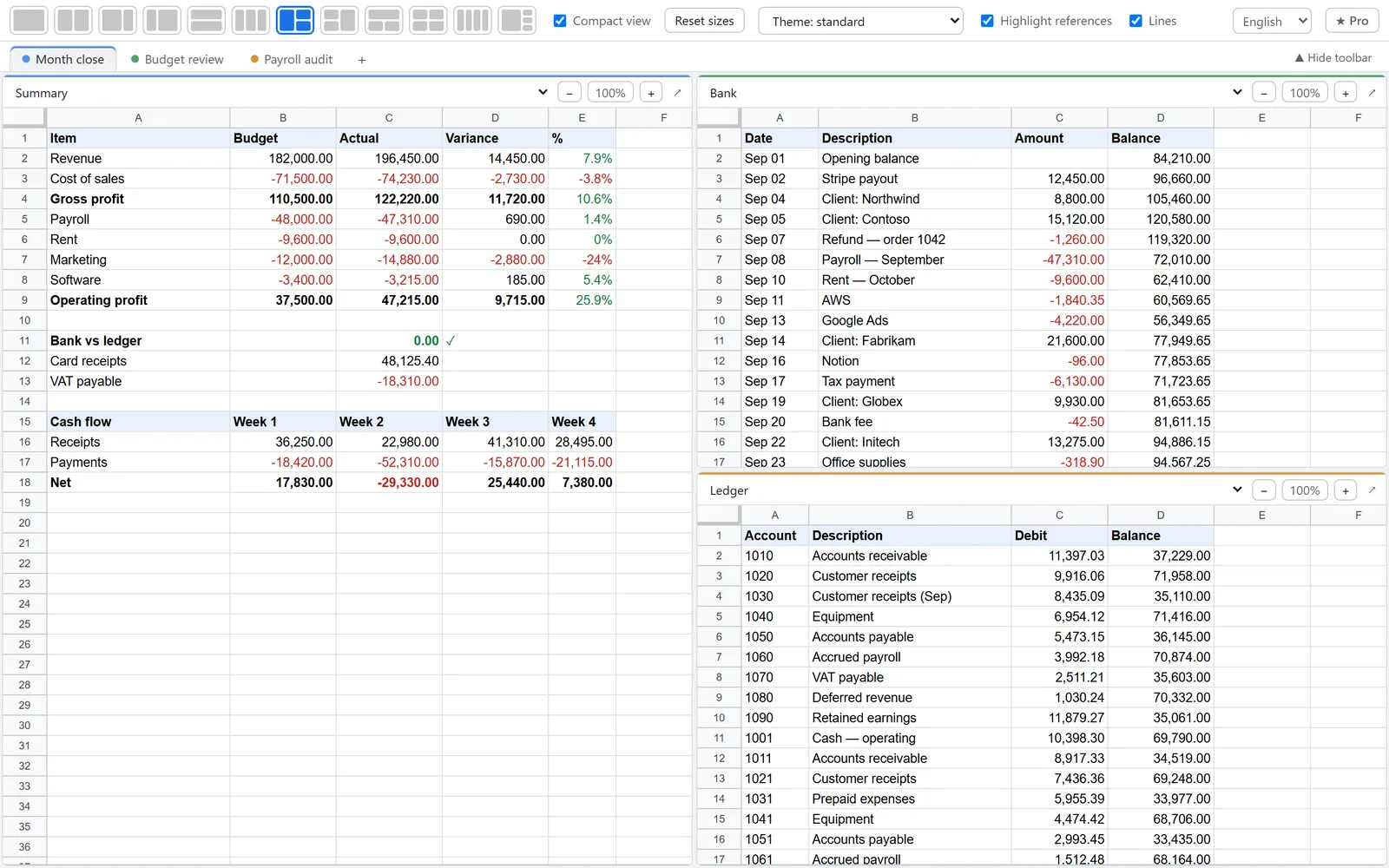
Built for people who live in spreadsheets
Accountants
Reconcile the trial balance against the bank statement, keep the ledger next to the payments list. See where every number comes from.
Financial analysts
Assumptions, calculations and outputs of your model on one screen. Select a cell and see which sheets feed it.
Marketers
Media plan next to the report, budget next to actuals. Each pane has its own zoom.
Analysts & ops
Lookup tables, requests and the pivot side by side. A separate workspace for every task.
What it does
Click to reference another sheet
Typing a formula? Click a cell in another pane or drag over a range — a reference like 'Bank'!C3:C6 goes straight into the formula. No more typing sheet names.
Formula tracing with lines
Select a formula cell — its sources get a golden frame and a line runs to them on other sheets. Off screen? A “go to” button jumps there.
Up to 4 sheets side by side
12 layouts, draggable splitters, independent zoom in every pane.
Workspaces on every computer
Sets of sheets for each task: “Reconciliation”, “Report”, “Model”, switched with Alt+1…9. With Pro they follow you to your other computers via Chrome sync.
Compact view & dark mode
Google menus hide away so more cells fit. Dark, Nord, Catppuccin and Solarized themes.
Your data stays yours
Sheets open under your own Google account right in your browser. Cell contents are never sent anywhere.
Get started in 30 seconds
- Add the extension from the Chrome Web Store.
- Open your Google Sheet and click the extension icon.
- Pick a layout and sheets. It’s remembered for that spreadsheet.
Pricing
The free version covers two sheets side by side. Pro is for people who work in spreadsheets every day.
Free
- 1–2 sheets side by side
- Reference highlighting and click-to-reference within a sheet
- Zoom, splitters, compact view
- Light and dark themes
Install the extension first: your 14-day Pro trial starts automatically. Buy right from the extension (“★ Pro” button) and Pro turns on without typing a key.
FAQ
Can you see my spreadsheets?
No. The extension opens your sheets in the same browser tab, under your own Google account, just like the regular site. Cell contents are never sent to us or anyone else. Our server only receives your Pro key and a random installation ID.
What happens after the trial?
You keep the free version: two sheets side by side, reference highlighting within a sheet, light and dark themes. Nothing is charged — we don’t ask for a card for the trial. Your layouts and workspaces are saved and come back when you turn Pro on.
How do I pay?
By card on the secure page of our payment provider lava.top — right from the extension, “★ Pro” button. US dollars or euros: Visa/Mastercard from any country, PayPal, Apple Pay. We never see your card details.
Can I cancel?
Yes, anytime. Pro stays active until the end of the paid period. Changed your mind within 3 days of paying? We’ll refund you — write to mitsunariisida92@gmail.com.
How many computers can I use?
Up to 3. You can remove the key from an old computer and enter it on a new one.
Will my workspaces move to another computer?
With Pro, yes. Workspaces and settings travel via Chrome sync: sign in to Chrome with the same Google account on both computers. They never pass through our server. Your Pro key is picked up on the second computer automatically.
Which browsers are supported?
Chrome and Chromium-based browsers: Edge, Brave, Opera, Arc and others. Works with Google Sheets only, not Excel.
Do you need access to my Google account?
No. The extension doesn’t ask for access to your account or Drive: sheets open in the same session as a regular tab.
What does it look like in action?
Watch the full feature overview on YouTube.